
 Outlook and Exchange from Delphi, without the plumbing
MAPI.Kit is a Delphi class library that gives object-oriented access to Extended MAPI, the core API of Microsoft Outlook and Exchange. Instead of interfaces, property tag arrays and SRowSet structures you work with sessions, stores, folders and messages – the way you know them from the Outlook Object Model and CDO 1.21 – and with any MAPI message store, not only with PST files.
MAPI.Kit is the natural continuation of our Extended MAPI in DELPHI examples: the same low-level translations of the MAPI headers are still there, but the everyday work now takes a few lines.
Delphi XE7 or later (developed and tested with Delphi 13 Florence) · Win32 and Win64 · needs an installed MAPI client (Outlook) of the same bitness · VCL-free class layer
What MAPI.Kit is for
- Log on to a profile (with or without a logon dialog), or open a
.pstfile headless, without any Outlook profile. - Profile administration: create, copy and delete profiles, Exchange profiles from Autodiscover, accounts (POP3, IMAP, Exchange, Hotmail, LDAP).
- Message stores, folders and messages: create, copy, move, delete, search with restrictions, sort and filter contents tables.
- Typed Outlook items: contacts, appointments with recurrence, tasks, journal entries and sticky notes; categories.
- Compose and send mail with recipients, HTML body and attachments; read the best body (HTML, RTF or text).
- Address book and GAL, notifications (new mail, object changes), free/busy, folder permissions, rules, out of office, delegates and Outlook forms.
- Signed and encrypted mail (S/MIME and OpenPGP) and export to
.msg,.eml, iCalendar and vCard together with the other kits.
How it is organised
- One
uses MAPIKit;gives every class and record of the class layer as a type alias; the procedural helper units (MAPIKit.Util,MAPIKit.PropUtils,MAPIKit.FldUtils, …) are added when needed. - The class layer:
TMAPISession,TMAPIProfileAdmin,TMAPIStore,TMAPIFolder,TMAPIMessagewith its recipients and attachments, the typed Outlook items, tables, restrictions, notifications, free/busy, permissions and forms. - Underneath: the Delphi translations of the MAPI and EDK headers (
ExtendedMAPI), shared with the earlier examples. - Clear rules: an object reached through a property is owned by its parent, an object returned by a function belongs to the caller; every failed MAPI call raises
EMAPIErrorwith the symbolic name and the provider’s own text; every date and time is local time. CheckMAPItells, before anything else, whether MAPI is missing or the bitness of the program does not match Outlook’s.
Getting started
Open a PST file without an Outlook profile and print the 10 newest messages of every mail folder (the Getting Started program of the guide, shortened):
uses
  System.SysUtils, System.Math, MAPIKit, MAPIKit.Environment,
  MAPIKit.Common.Types, MAPIKit.Common.MAPITags;

procedure ListFolder(Folder: TMAPIFolder; const Path: string);
var
  i: Integer;
  Items: TMAPIMessages;
begin
  if Folder.FolderType = oFolderUndefined then     // a mail folder
  begin
    Items := Folder.Messages;
    Items.FastSort(PR_MESSAGE_DELIVERY_TIME, False);
    Writeln(Path, ' (', Items.Count, ')');
    for i := 0 to Min(Items.Count, 10) - 1 do
      Writeln('  ', FormatDateTime('yyyy-mm-dd hh:nn', Items[i].ReceivedTime), '  ',
        Items[i].SenderName, ': ', Items[i].Subject);
  end;
  for i := 0 to Folder.Folders.Count - 1 do
    ListFolder(Folder.Folders[i], Path + '\' + Folder.Folders[i].DisplayName);
end;

var
  Env: TMAPIEnvironment;
  Session: TMAPISession;
  Store: TMAPIStore;
begin
  Env := CheckMAPI;                                 // MAPI missing? bitness mismatch?
  if Env.Status <> mesOk then
  begin
    Writeln(Env.Text);
    Halt(1);
  end;
  Session := TMAPISession.CreateHeadless;
  try
    Store := Session.OpenPstStore('C:\Mail\archive.pst');
    ListFolder(Store.RootFolder, Store.DisplayName);
  finally
    Session.Free;
  end;
end.
Log on to a profile without a dialog, then compose and send a message with recipients and an attachment:
uses MAPIKit, MAPIKit.Common.Types;

Session := TMAPISession.Create;
Session.LogOnInfo.ProfileName := 'Work';       // also selects ExplicitProfile
Session.LogOnInfo.ShowLogonUI := False;
Session.LogOnInfo.NewSession := True;
Session.LogOn;

Msg := Session.DefaultStore.IPMFolder[oFolderDrafts].CreateMessage;
try
  Msg.Subject := 'Quarterly report';
  Msg.Importance := miHigh;
  Msg.Recipients.Add('Jane Doe', 'jane@example.com');
  Msg.Recipients.Add('Accounting', 'acc@example.com', rtCC);
  Msg.Body.HTML := '<p>Please find the report attached.</p>';
  Msg.Attachments.Add('C:\Reports\Q3.pdf');
  Msg.Send;                                    // needs a transport in the profile
finally
  Msg.Free;
end;
More examples, the rules of ownership, errors and time zones, and every class, property, method and routine are in the Class Reference and Developer Guide.
Part of the IMIBO mail toolkit
Every kit gives the same answer for the same message: the kits share one property catalogue, one message contract and one JSON property dump, so a message read by one kit can be written, converted or compared by any other.
MAPI.Kit · PST.Kit · Msg.Kit · MIME.Kit · Crypto.Kit · Autodiscover.Kit · Graph.Kit
MAPI.Kit is developed by IMIBO; the source code is not public. For licensing, custom development or questions write to info@imibo.com.
MAPI.Kit Class Reference and Developer Guide (PDF)
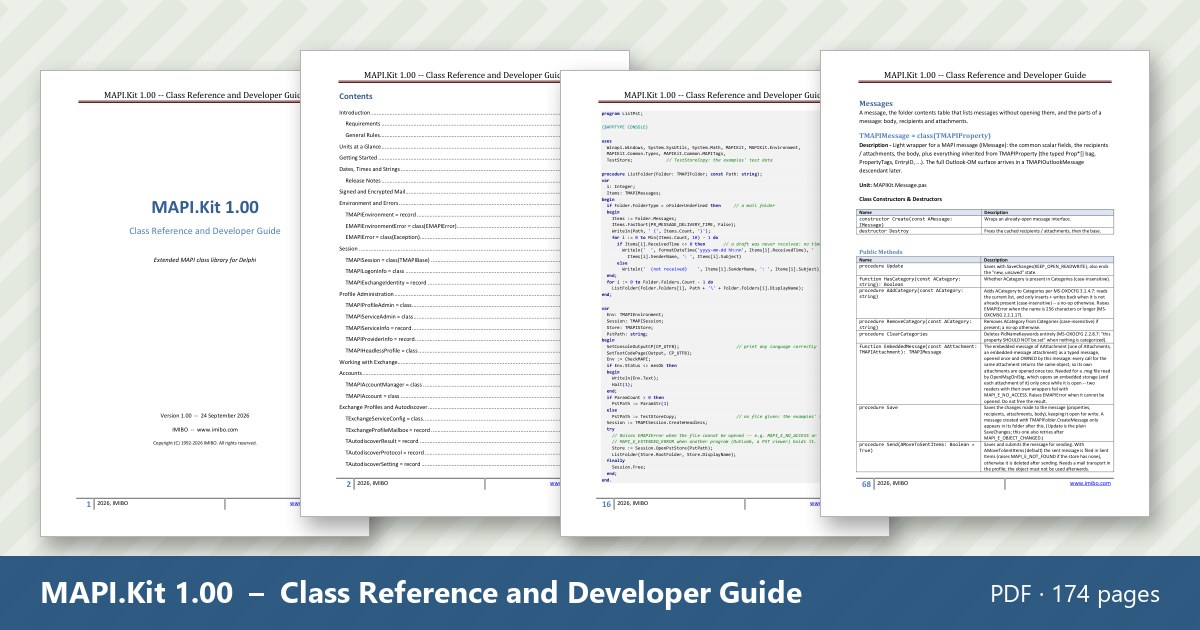
MAPI.Kit 1.00 – Class Reference and Developer Guide · PDF, 174 pages, English, October 2026. Introduction and requirements, the units at a glance, getting started, dates and strings, and a chapter for every area – session, profiles, Exchange and Autodiscover, stores, folders, messages, Outlook items, recurrence, address book, tables, properties, restrictions, categories, notifications, free/busy, permissions and rules, delegates, forms, Internet formats – with every class, property, method and routine described, usage examples, the 24 example projects and the road map.
The document is free. Enter your email address and you will receive a personal download link.
Questions about MAPI.Kit: info@imibo.com.

