
 Exchange Online and Outlook.com mailboxes – mail, calendar, contacts, To Do
Graph.Kit reads and writes the Outlook mailboxes of Exchange Online (Microsoft 365) and Outlook.com through Microsoft Graph v1.0: the mail folder tree, messages with their attachments and their MAPI properties, sending with attachments up to 150 MB, calendars, meetings and their answers, free/busy, contacts, Microsoft To Do tasks, change tracking (delta), JSON batching, the translation of ids between Graph, EWS and MAPI, and the mailbox settings (automatic replies, inbox rules, categories).
A message read through Graph is an IMsgSource like the messages of every other kit: it is saved as .msg by Msg.Kit and as .eml by MIME.Kit, and checked against MAPI.Kit on the same mailbox the two kits give the same properties, recipients and attachments. The user signs in on Microsoft’s own page in the system browser – the program never sees a password.
Delphi 13 Florence · Win32 and Win64 · Microsoft Graph v1.0, WinHTTP, System.JSON · no MSAL, no Graph SDK, no Outlook, no OpenSSL, no Indy · VCL-free
What Graph.Kit is for
- Read a mailbox without Outlook: folders, messages, bodies, recipients, attachments and the MAPI properties Graph stores, saved as .msg or .eml.
- Send mail with large attachments (upload sessions up to 150 MB), reply, forward, move, flag and categorise messages.
- Calendars and meetings: events with recurrence, invitations, cancellations and answers, the occurrences of a time window, free/busy.
- Contacts and Microsoft To Do tasks, read into and written from the same neutral records the other service kits use.
- Keep a local copy up to date with delta rounds; send up to 20 requests in one JSON batch; translate ids between Graph, EWS and MAPI.
- Mailbox settings: automatic replies (out of office), inbox rules, the master category list.
How it is organised
GraphKit.Session– one signed-in identity (an OAuth 2.0 token provider of the shared units: browser sign-in with PKCE or device code; the refresh token optionally in the Windows Credential Manager);GraphKit.Mailbox–/meor another user’s mailbox, the entry to everything else.- Mail:
GraphKit.Folders,.Messages,.Attachments,.Writerand.Source(theIMsgSourceof a Graph message). GraphKit.Calendar,.Contacts,.Tasks,.Sync(delta, batching, ids),.Settings, andGraphKit.MailboxSource– the whole mailbox behind the kit-neutralIMailboxSourcea viewer is written against.- In the shared units: the REST client over WinHTTP (retries after Retry-After, paging, the OData error body), the OAuth 2.0 client, the neutral write records
TMailDraft,TAppointmentDraft,TContactDraft,TTaskDraft, and the Graph names of the MAPI properties from the one property catalogue of the toolkit. - Clear rules: every date-time of the API is local time; immutable ids (an item keeps its id when it is moved); what a mailbox hands out belongs to it; tokens are never written to a trace or a log.
Getting started
Sign in once with the browser, then list the newest messages:
A message with a large attachment, then a weekly meeting for four weeks:
More examples, the rules of ownership, errors and time zones, and every class, property, method and routine are in the Class Reference and Developer Guide.
Part of the IMIBO mail toolkit
Every kit gives the same answer for the same message: the kits share one property catalogue, one message contract and one JSON property dump, so a message read by one kit can be written, converted or compared by any other.
MAPI.Kit · PST.Kit · Msg.Kit · MIME.Kit · Crypto.Kit · Autodiscover.Kit · Graph.Kit · EWS.Kit
Graph.Kit is developed by IMIBO; the source code is not public. For licensing, custom development or questions write to info@imibo.com.
Graph.Kit Class Reference and Developer Guide (PDF)
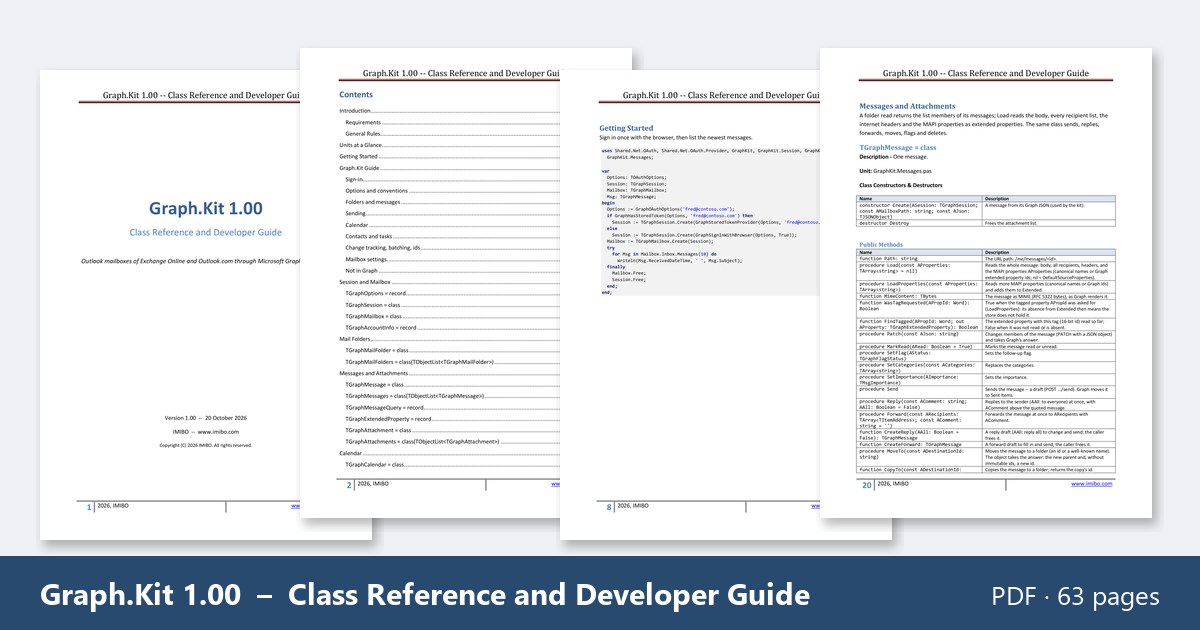
Graph.Kit 1.00 – Class Reference and Developer Guide · PDF, 63 pages, English, October 2026. Introduction, requirements and rules, the units at a glance, getting started, the Graph.Kit guide (sign-in, conventions, folders and messages, sending, calendar, contacts and tasks, change tracking, batching, ids, mailbox settings), the class chapters, the neutral item models and the shared REST / OAuth layer.
The document is free. Enter your email address and you will receive a personal download link.
Questions about Graph.Kit: info@imibo.com.
Example application: GraphInspectorLite (free download)
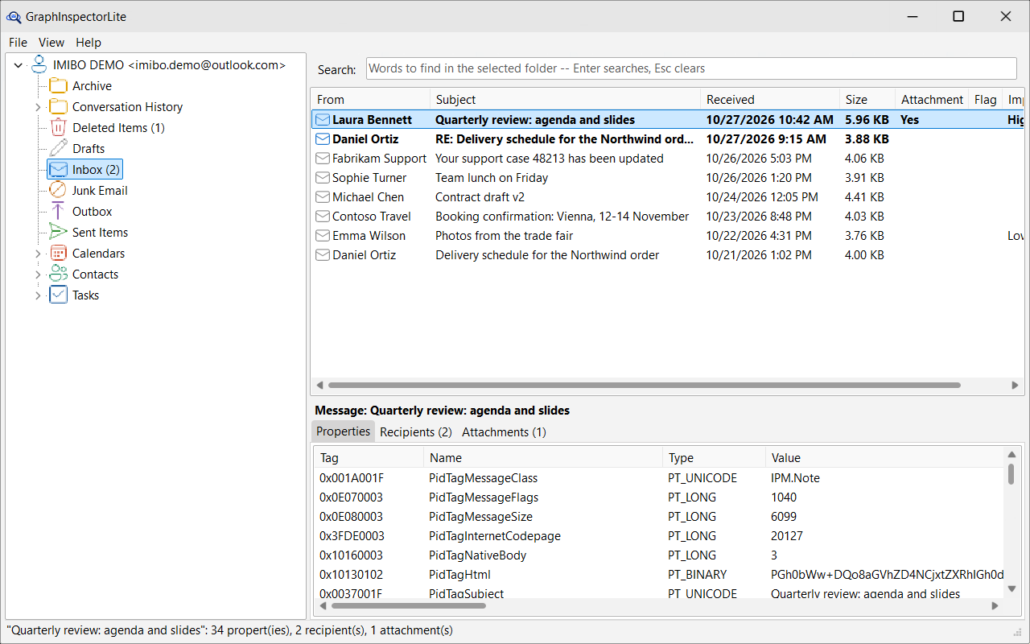
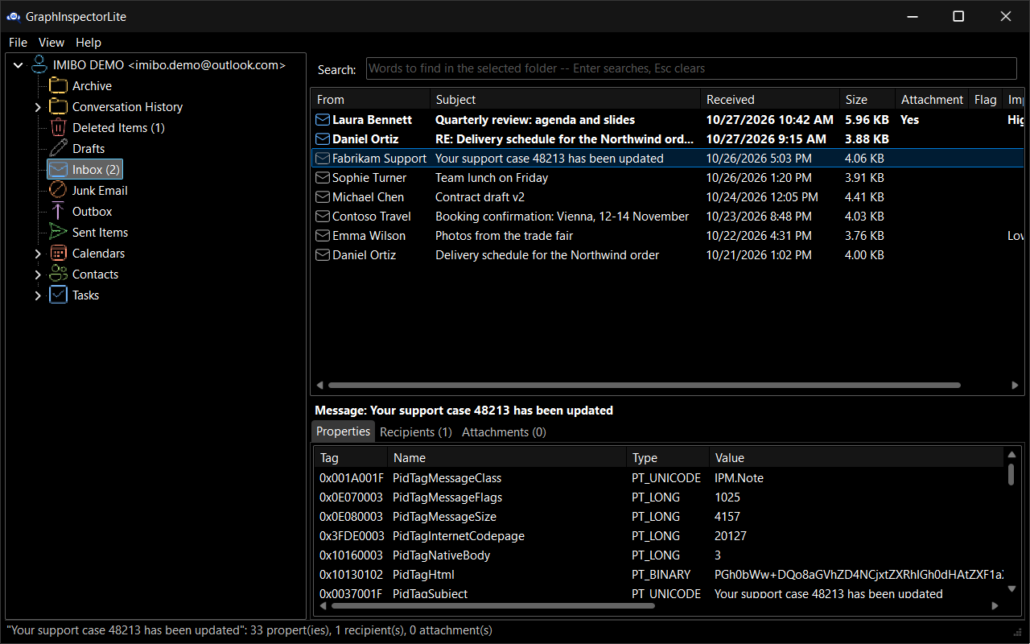
 GraphInspectorLite is a free, read-only viewer of Microsoft 365 and Outlook.com mailboxes written with Graph.Kit – an example of what the kit is for, in the style of PST Inspector: the accounts with their folder trees, the items of a folder page by page with sorting and server-side search, the MAPI properties, recipients and attachments of every item, messages with a safe HTML view (no scripts, external pictures blocked until you allow them), Save as .msg / .eml, calendars, contacts and To Do lists, light and dark themes. It asks Microsoft only for read permissions and never changes the mailbox.
Screenshots
User guide
The guide of GraphInspectorLite, as it comes with the program (UserGuide.md in the ZIP). Open a section to read it.
Overview
GraphInspectorLite (GraphInspector Lite) is a read-only viewer of Microsoft 365 (work or school) and Outlook.com / Hotmail mailboxes through Microsoft Graph: the mail folders, the messages with their MAPI properties, recipients and attachments, the calendars, contacts and Microsoft To Do lists. It is built on the IMIBO kits (Graph.Kit, Msg.Kit, MIME.Kit, Shared) and has no third-party code. It never changes the mailbox: it asks Microsoft only for read permissions.
Requirements
- Windows 10 or 11 (64-bit or 32-bit build).
- For HTML message bodies: the Microsoft Edge WebView2 runtime (part of Windows 11, installed with Edge on Windows 10) and
WebView2Loader.dllnext toGraphInspectorLite.exe(the build copies it there, see “Files”). Without them the bodies are shown as plain text. - A Microsoft 365 or Outlook.com account; a mailbox on an on-premises Exchange server has no Microsoft Graph.
Adding an account
- File > Add account… and type the e-mail address.
- GraphInspector asks Microsoft what the address is (a personal Microsoft account or a work / school account); an address Microsoft does not know is refused here, before any sign-in.
- The consent window shows, before any browser opens: the application (IMIBO Mail Kits), its publisher and id, the account, every permission in plain words (read your profile, mail, calendars, contacts, tasks, mailbox settings; stay signed in) and where the sign-in is kept. Deny stops here.
- Allow opens the system browser with Microsoft’s own sign-in page; the password or passkey is typed there, GraphInspector never sees it. Microsoft may show its own consent page once.
- The account appears in the tree. The sign-in (a refresh token) is kept in the Windows Credential Manager of this Windows user, so the next start needs no sign-in.
File > Sign out of the selected account… removes the stored sign-in from this computer (the account leaves the tree). A later Add account signs in again.
The main window
- The tree (left): one root per account; under it the mail folders (Inbox, Sent Items, … with the unread count), then Calendars, Contacts and Tasks (the To Do lists). Folders are read when they are expanded.
- The list (right): the items of the selected folder, with columns of its kind:
- mail: From, Subject, Received, Size, Attachment, Flag, Importance — unread messages in bold;
- calendar: Subject, Start, End, Location, Organizer, Recurring, All day;
- contacts: Name, Company, E-mail, Phone;
- tasks: Title, Due, Completed, Status, Importance.
The list is read 50 items at a time in the background; the next 50 come when the last row scrolls into view (the status bar says “more on scrolling”). A click on a column header sorts the rows read so far (again: the other direction); Ctrl+C copies the selected rows.
- Search (above the list): type words and press Enter — the search runs on the server over the whole folder; Esc clears it. In mail folders it is Microsoft’s mail search (words in the subject, body and addresses; also
from:,subject:,hasattachments:true, …); in calendars and To Do lists it searches the subject / title, in contacts the start of the name. - View > Refresh (F5) reads the folder again.
- The details panel (below the list, View > Details panel) shows the selected item — or, with no item selected, the folder itself; its title line says which (“Folder: Inbox”, “Message: <subject>”, “Event: …”). During a search it stays empty until a found item is selected (it says so), so nothing in it can be taken for a hit:
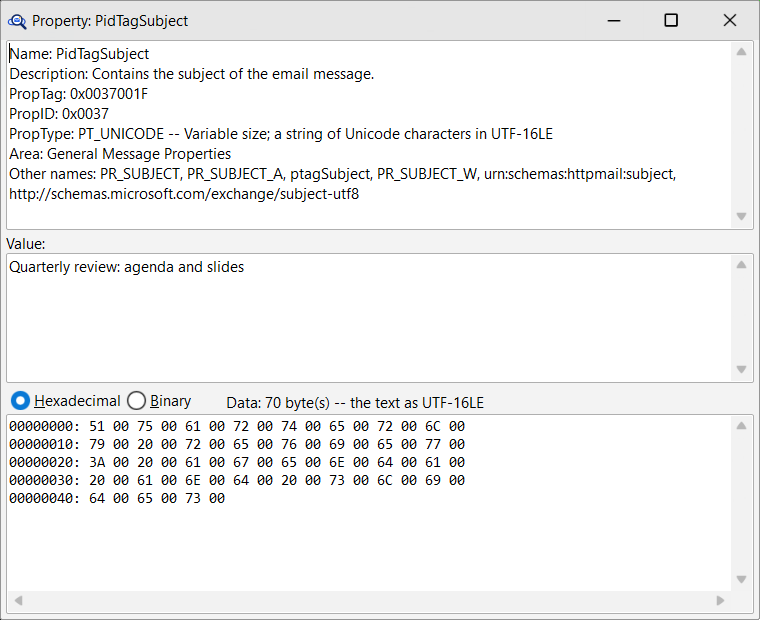
- Properties: every MAPI property Graph returns — tag, canonical name, type, value, description; a tooltip on a property tells what the property catalog knows of it (description, tag / ID / type, area, property set and LID / name of a named property, other names); a double click, Enter or Property details… in the context menu opens the property window — that information, the whole value and its bytes as a hexadecimal or binary dump;
- Recipients: kind (To, Cc, Bcc, …), name, address;
- Attachments: name, size, type, kind; Save as… / Save all to a folder… from the context menu, a double click saves one. With a folder selected, the status bar gives its number of items and unread items and of its properties.
Opening items
A double click (or Enter) on a row opens it in its own window; several windows can be open at once.
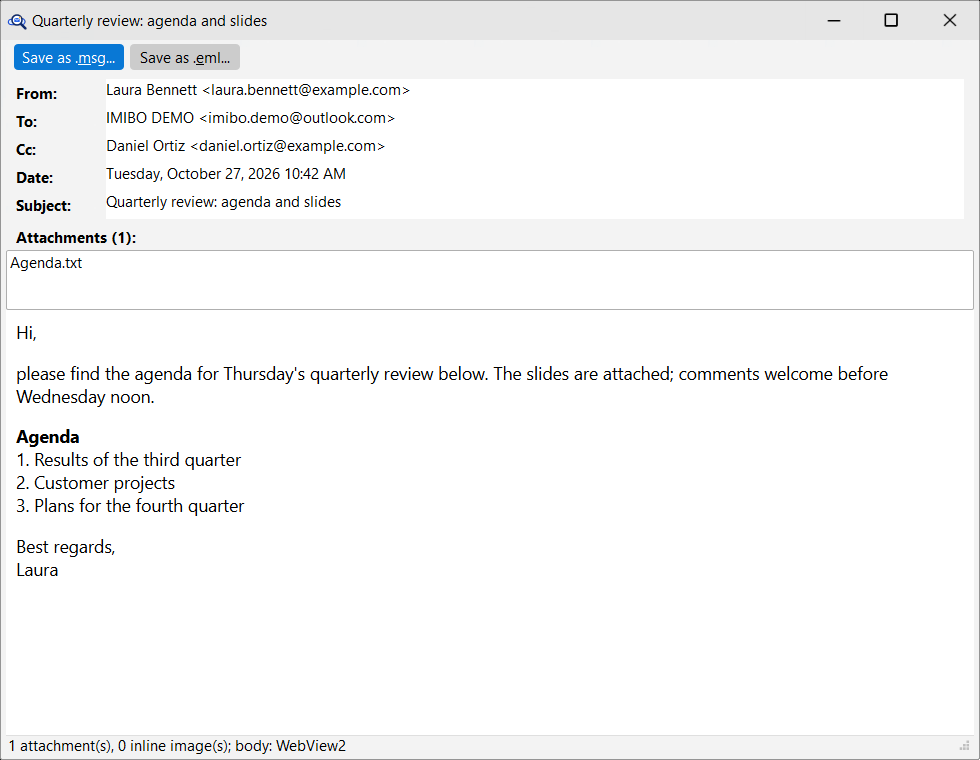
- A message: From, To, Cc, Date, Subject; the attachments (inline pictures are shown in the body, not listed); Save as .msg (an Outlook message file) and Save as .eml (an Internet message). The body is shown safely:
- no scripts run, and nothing is loaded from the network — pictures that are part of the message are shown;
- when the message refers to pictures or styles on the internet (newsletters, tracking pixels), a bar says “External pictures and styles are blocked to protect your privacy”; Show external content loads them for this message (still without scripts);
- a link opens in your default browser, never inside GraphInspector.
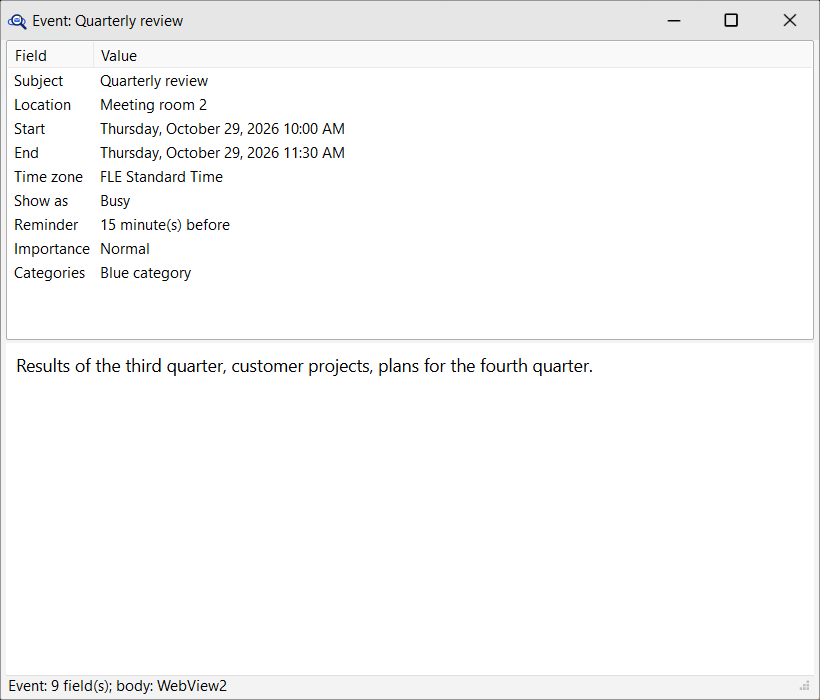
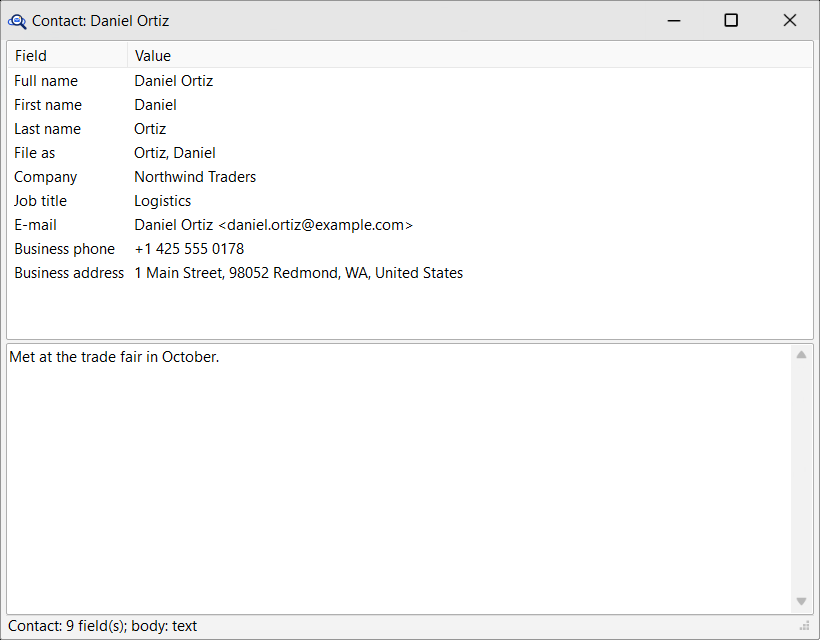
- An event, a contact or a task: the fields that are set (times, time zone, recurrence in words, attendees, reminder, addresses, phones, status, …) and the description / notes below them.
Appearance
View > Theme: System (the default — follows Windows’ light / dark app mode, also while the program runs), Light or Dark. The icons follow the theme.
Files
| What | Where |
|---|---|
| The accounts (address, name, kind — no secrets) | %LOCALAPPDATA%\IMIBO\GraphInspector\accounts.json |
| The theme setting | %LOCALAPPDATA%\IMIBO\GraphInspector\settings.json |
| The sign-ins (refresh tokens) | Windows Credential Manager of the Windows user |
| The WebView2 profile (cache of the body view) | %LOCALAPPDATA%\IMIBO\GraphInspector\WebView2 |
| A shown HTML body (while its window is open) | %TEMP%\GraphInspector-<guid>.html (deleted on close) |
WebView2Loader.dll |
next to GraphInspectorLite.exe (from Shared\Vcl\Inspector\redist\WebView2.<platform>) |
Building
GraphInspector\GraphInspectorLite.dproj(Win64 / Win32), search path..\Shared;..\Shared\Vcl;..\Shared\Vcl\Inspector;..\Graph.Kit;..\Msg.Kit; ..\MIME.Kit— no third-party code. The post-build event copies the platform’sWebView2Loader.dll(Microsoft’s NuGet package Microsoft.Web.WebView2, seeShared\Vcl\Inspector\redist\README.md) next to the exe; the viewer itself\n (windows, lists, panels) isShared\Vcl\Inspector, shared with EWSInspectorLite.- Optional: the conditional define
HTMLVIEWER(with$(HtmlViewer)\sourceon the search path) shows HTML bodies in THtmlViewer when WebView2 is not available — the one third-party component, opt-in.
Limits (phase I)
- Read-only: nothing is sent, moved, deleted or changed.
- What Graph does not return is not shown: Graph gives only stored MAPI properties that were asked for, and no computed ones.
- Shared mailboxes, other users’ mailboxes and app-only access need a Microsoft 365 tenant (planned).
- A local copy of the mailbox (offline browsing) is phase L of
doc/refactor-graphinspector.md.
The download (ZIP, 6.5 MB) contains:
Win64\GraphInspectorLite.exeandWin32\GraphInspectorLite.exe– the program, no installation (with Microsoft’sWebView2Loader.dllnext to it).Source\– the complete source code of GraphInspectorLite (Delphi 13, VCL): the project, its units and forms, the icon.UserGuide.mdandREADME.txt.
Note: The ZIP holds the executable and the source code of the program, but not the libraries it is built on – Graph.Kit, the shared units, Msg.Kit and MIME.Kit; to compile the source you need those kits.
Enter your email address and you will receive a personal download link.
Questions about GraphInspectorLite: info@imibo.com.

