
 Exchange, IMAP, POP3 and SMTP settings – nothing presumed
Autodiscover.Kit finds the server settings of an e-mail address without Outlook and without MAPI: the Exchange settings (legacy DN, MAPI/HTTP mailbox and address-book URLs, EWS, OAB, Outlook on the web) through the Autodiscover services – POX, SOAP GetUserSettings and Autodiscover v2 – and the IMAP / POP3 / SMTP settings of any other provider through mail Autoconfig, the ISPDB, the MX of the domain and the DNS SRV records of RFC 6186 / RFC 8314.
Nothing is presumed about a domain: DiscoverAccount asks every source and returns every positive result, with the sources that confirm it, how far it can be trusted and any conflict with the MX. The application or the user chooses.
Delphi 13 Florence · Win32 and Win64 · WinHTTP, Windows DNS and LDAP · no Outlook, no MAPI, no OpenSSL, no Indy · VCL-free
What Autodiscover.Kit is for
- Set up a mail account from just an address: incoming and outgoing servers, ports, TLS mode, user name and authentication methods.
- Find an Exchange or Microsoft 365 mailbox: the candidate URLs of [MS-OXDISCO] including the Active Directory service connection points, every redirect followed by the rules of the specification.
- Exchange Online with OAuth 2.0: sign in through the system browser or with a device code and send the Bearer token.
- Diagnose: every attempt is in a trace that tells why nothing – or something unexpected – was found.
- Used by MAPI.Kit to create Exchange profiles; the network layer lives in the shared units, so that further kits (EWS, Graph) use the same code.
How it is organised
AutodiscoverKit.Account–DiscoverAccount, everything an address offers.- Exchange:
AutodiscoverKit.Clientand.Types, with the candidate list and the POX, SOAP and JSON protocol units. - IMAP / POP3 / SMTP:
AutodiscoverKit.Mail.Clientand.Mail.Types, the Autoconfig parser and the SRV / POX sources. - In the shared units: HTTP over WinHTTP (Schannel, the Windows certificate store and proxy), DNS SRV and MX, the Active Directory service connection points, and the OAuth 2.0 client with an optional token store in the Windows Credential Manager.
- Clear rules: options and results are records – nothing to free; credentials are used for the one call only and never written to a trace; a DNS-derived or plain-http configuration is marked so that it is shown to the user before it is used.
Getting started
Everything an address offers: the Exchange answer and every IMAP / POP3 / SMTP configuration found:
Exchange only: SOAP GetUserSettings with an explicit credential and a shorter deadline:
More examples, the rules of ownership, errors and time zones, and every class, property, method and routine are in the Class Reference and Developer Guide.
Part of the IMIBO mail toolkit
Every kit gives the same answer for the same message: the kits share one property catalogue, one message contract and one JSON property dump, so a message read by one kit can be written, converted or compared by any other.
MAPI.Kit · PST.Kit · Msg.Kit · MIME.Kit · Crypto.Kit · Autodiscover.Kit · Graph.Kit · EWS.Kit
Autodiscover.Kit is developed by IMIBO; the source code is not public. For licensing, custom development or questions write to info@imibo.com.
Autodiscover.Kit Class Reference and Developer Guide (PDF)
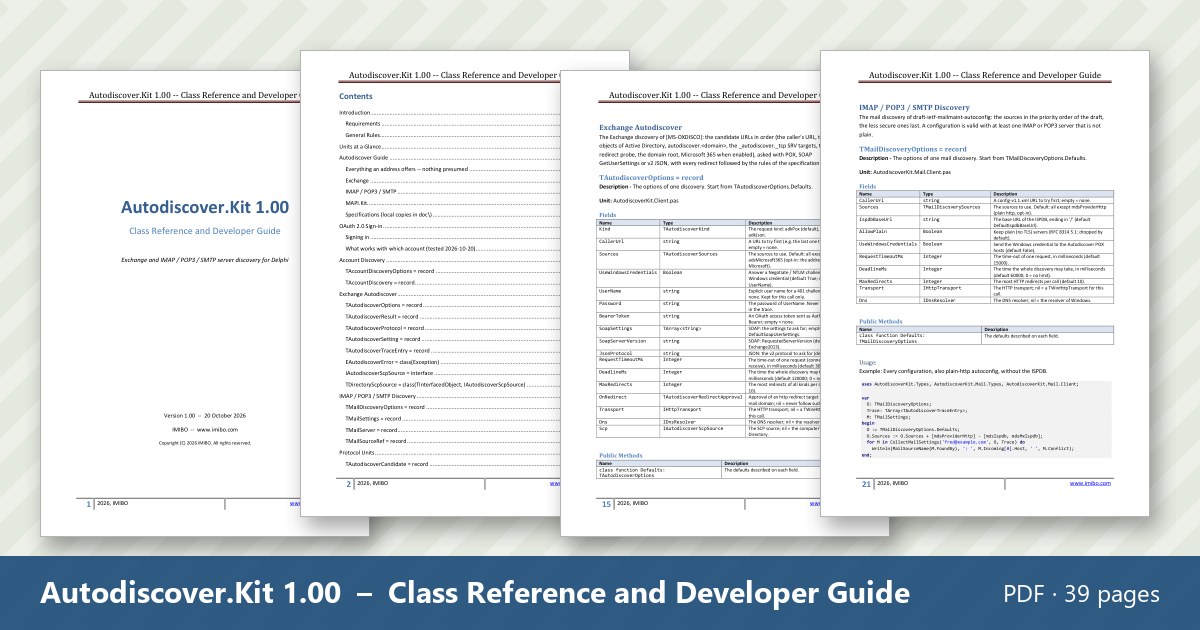
Autodiscover.Kit 1.00 – Class Reference and Developer Guide · PDF, 39 pages, English, October 2026. Introduction, requirements and rules, the units at a glance, the Autodiscover guide, OAuth 2.0 sign-in, account discovery, Exchange Autodiscover, IMAP / POP3 / SMTP discovery, the protocol units, the network layer and OAuth 2.0 client, the example program and the road map.
The document is free. Enter your email address and you will receive a personal download link.
Questions about Autodiscover.Kit: info@imibo.com.

