
 On-premises Exchange 2016, 2019 and SE – mail, calendar, contacts, tasks, public folders
EWS.Kit reads and writes the mailboxes of an on-premises Exchange server – Exchange Server 2016, 2019 and Subscription Edition – through Exchange Web Services: the folder tree, messages with their attachments and their MAPI properties, sending, calendars, meetings and other users’ free/busy, contacts and private distribution lists, Outlook tasks, sticky notes and the journal, synchronisation and streaming notifications, the mailbox settings and the modern public folders.
A message read through EWS is an IMsgSource like the messages of every other kit: it is saved as .msg by Msg.Kit and as .eml by MIME.Kit, and compared with MAPI.Kit on the same mailbox the two kits give the same properties, recipients and attachments – recipients of the organization included, as EX + legacy DN like the store keeps them. The session signs in with the Windows credential of the user, so the program never sees a password; the EWS address comes from Autodiscover.Kit.
Delphi 13 Florence · Win32 and Win64 · Exchange Server 2016, 2019, Subscription Edition · SOAP over WinHTTP, the RTL’s XML DOM · no Outlook, no EWS Managed API, no .NET, no Indy · VCL-free
What EWS.Kit is for
- Read an Exchange mailbox without Outlook: folders, messages, bodies, recipients, attachments and the MAPI properties, saved as .msg or .eml.
- Send mail from the neutral
TMailDraftor from MIME, reply, forward, move, copy, flag and categorise messages. - Calendars and meetings: the occurrences of a time window, recurrence, invitations, answers and cancellations, other users’ free/busy.
- Contacts, private distribution lists, Outlook tasks, sticky notes and journal entries, read into and written from the same neutral records the other service kits use.
- Keep a copy up to date: folder hierarchy and item synchronisation, pull and streaming subscriptions (no public endpoint needed).
- Mailbox settings (automatic replies, inbox rules, master categories, working hours, delegates, mail tips) and the modern public folders with their Autodiscover routing.
How it is organised
EwsKit.Session– one identity on one server (the Windows credential, an explicit user name + password, or an OAuth token for hybrid servers), the SOAP headers, id conversion between EWS, MAPI and Graph;EwsOpenSessionfinds the EWS address with Autodiscover.- Mail:
EwsKit.Folders,.Messages,.Attachments,.Writer,.Mailboxand.Source(theIMsgSourceof an EWS message, with the legacy-DN resolver). EwsKit.Calendar,.Contacts,.Tasks,.Notes,.Sync,.Settings,.PublicFolders, andEwsKit.MailboxSource– the whole mailbox behind the kit-neutralIMailboxSourcea viewer is written against.- In the shared units: the SOAP client (faults, ErrorServerBusy / 503 / 504 retries, streamed answers), namespace-independent XML, the EWS names of the MAPI properties from the one property catalogue of the toolkit, the neutral write records
TMailDraft,TAppointmentDraft,TContactDraft,TTaskDraft. - Clear rules: every date-time of the API is local time; a write needs the current change key (the kit refreshes one Exchange returns truncated); an error raises
EEwsErrorwith the response code; a write is never sent twice after a transport failure.
Getting started
A session through Autodiscover with the Windows credential, then the newest messages:
uses EwsKit, EwsKit.Session, EwsKit.Folders, EwsKit.Messages;

var
  Session: TEwsSession;
  List: TEwsMessages;
  M: TEwsMessage;
begin
  Session := EwsOpenSession('fred@contoso.com');   // EWS URL from Autodiscover
  List := TEwsMessages.Create(True);
  try
    FindMessages(Session, TEwsFolderId.Named('inbox'), TEwsMessageQuery.Newest(20), List);
    for M in List do
      Writeln(M.Subject, ' -- ', M.From.Address);
    Writeln(Session.ServerVersion.ToString);
  finally
    List.Free;
    Session.Free;
  end;
end;
The first message saved as .eml and .msg, then the next seven days of the calendar:
var
  Src: IMsgSource;
  Proxy: TMsgProxy;
  Items: TEwsCalendarItems;
  C: TEwsCalendarItem;
begin
  List[0].Load;   // every member, the attachments and the MAPI properties
  // recipients of the organization as EX + legacy DN, as Outlook keeps them
  Src := EwsMessageSource(List[0], False, EwsAutodiscoverResolver(Session));
  TFile.WriteAllBytes('first.eml', TMsgSourceMime.ToBytes(Src));
  Proxy := TMsgProxy.Create(Src);
  try
    Proxy.Save('first.msg');
  finally
    Proxy.Free;
  end;

  Items := TEwsCalendarItems.Create(True);
  try
    ReadCalendarView(Session, TEwsFolderId.Named('calendar'), Date, Date + 7, Items);
    for C in Items do
      Writeln(DateTimeToStr(C.StartTime), ' ', C.Subject);
  finally
    Items.Free;
  end;
end;
More examples, the rules of ownership, errors and time zones, and every class, property, method and routine are in the Class Reference and Developer Guide.
Part of the IMIBO mail toolkit
Every kit gives the same answer for the same message: the kits share one property catalogue, one message contract and one JSON property dump, so a message read by one kit can be written, converted or compared by any other.
MAPI.Kit · PST.Kit · Msg.Kit · MIME.Kit · Crypto.Kit · Autodiscover.Kit · Graph.Kit · EWS.Kit
EWS.Kit is developed by IMIBO; the source code is not public. For licensing, custom development or questions write to info@imibo.com.
EWS.Kit Class Reference and Developer Guide (PDF)
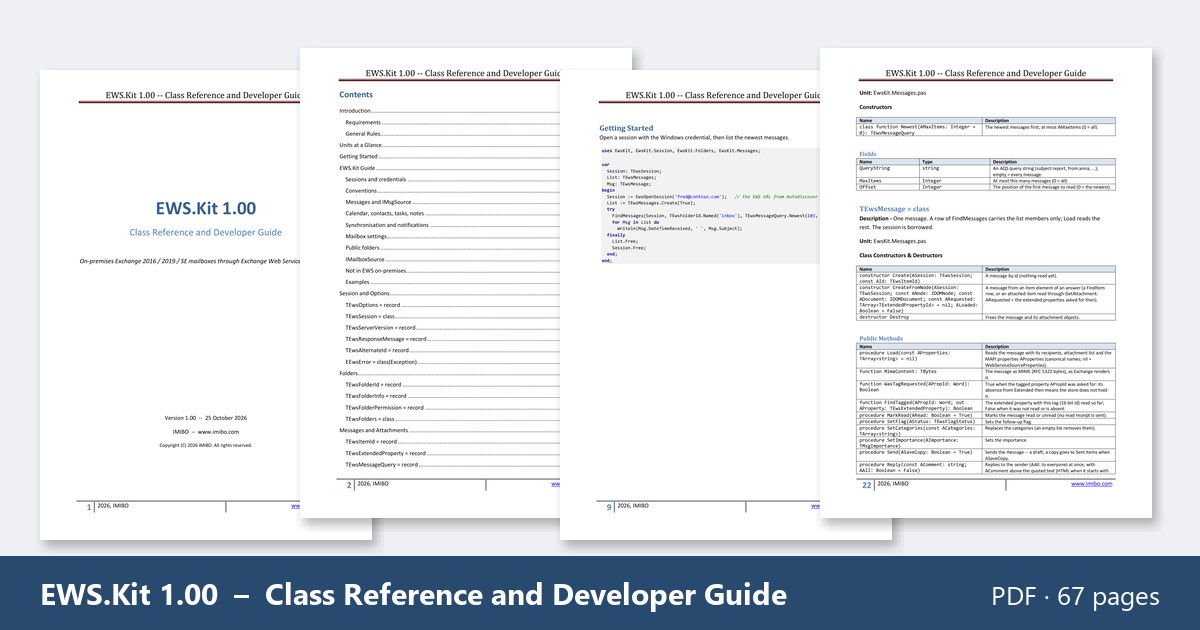
EWS.Kit 1.00 – Class Reference and Developer Guide · PDF, 67 pages, English, October 2026. Introduction, requirements and rules, the units at a glance, getting started, the EWS.Kit guide (sessions and credentials, conventions, messages and IMsgSource, calendar, contacts, tasks and notes, synchronisation and notifications, mailbox settings, public folders, IMailboxSource), the class chapters, the neutral item models and the shared SOAP / XML layer.
The document is free. Enter your email address and you will receive a personal download link.
Questions about EWS.Kit: info@imibo.com.
Example application: EWSInspectorLite (free download)
 EWSInspectorLite is a free, read-only viewer of on-premises Exchange mailboxes written with EWS.Kit – the same program as GraphInspectorLite with another data source: the accounts with their folder trees, the items of a folder page by page with sorting and server-side search (AQS), the MAPI properties, recipients and attachments of every item, messages with a safe HTML view (no scripts, external pictures blocked until you allow them), Save as .msg / .eml, calendars, contacts and Outlook tasks, light and dark themes. It signs in with your Windows credential (or a user name and password you type, optionally kept as a Windows credential), finds the server with Autodiscover and never changes the mailbox.
The download (ZIP, 6.6 MB) contains:
Win64\EWSInspectorLite.exeandWin32\EWSInspectorLite.exe– the program, no installation (with Microsoft’sWebView2Loader.dllnext to it).Source\– the complete source code of EWSInspectorLite and of the viewer it shares with GraphInspectorLite (Delphi 13, VCL): the project, its units and forms, the icon.UserGuide.mdandREADME.txt.
Note: The ZIP holds the executable and the source code of the program, but not the libraries it is built on – EWS.Kit, Autodiscover.Kit, the shared units, Msg.Kit and MIME.Kit; to compile the source you need those kits.
Enter your email address and you will receive a personal download link.
Questions about EWSInspectorLite: info@imibo.com.
